Lenovo: TrackPoint
Client Project
Product Design


Team
Timeline
Roles
Student Product Designer
Design Manager
Context
A client engagement through Yale's student design consultancy.
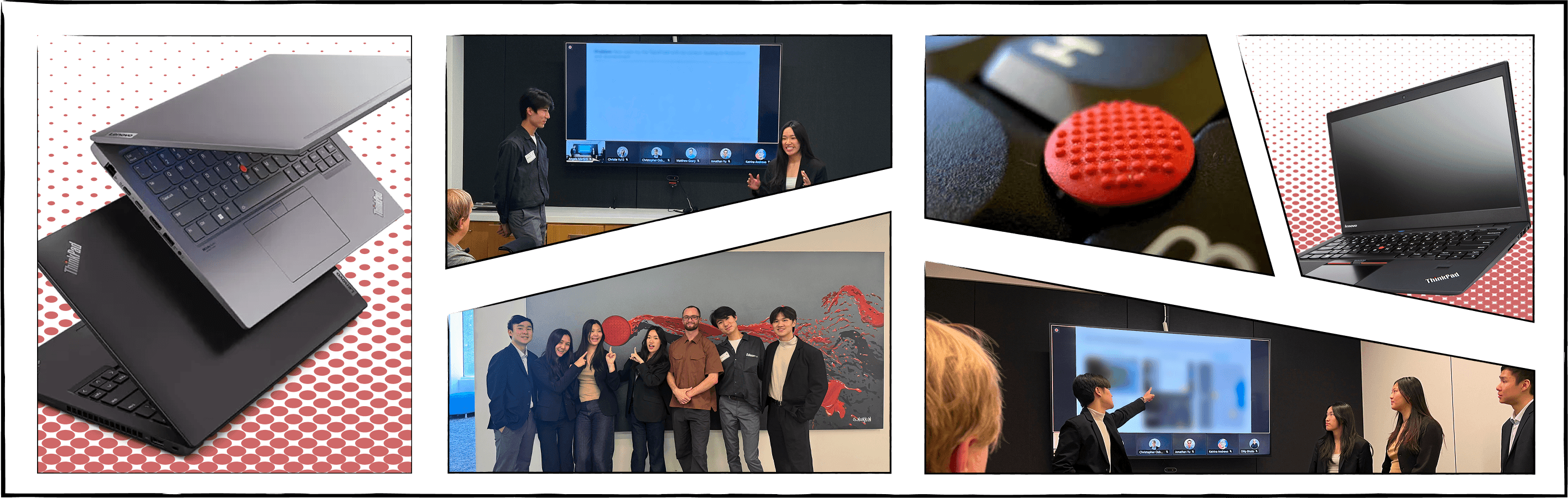
DFA Pro Studio, Yale's student-run design consultancy, worked with the UX design team at Lenovo to improve the TrackPoint, the small red pointing stick built into every ThinkPad keyboard.
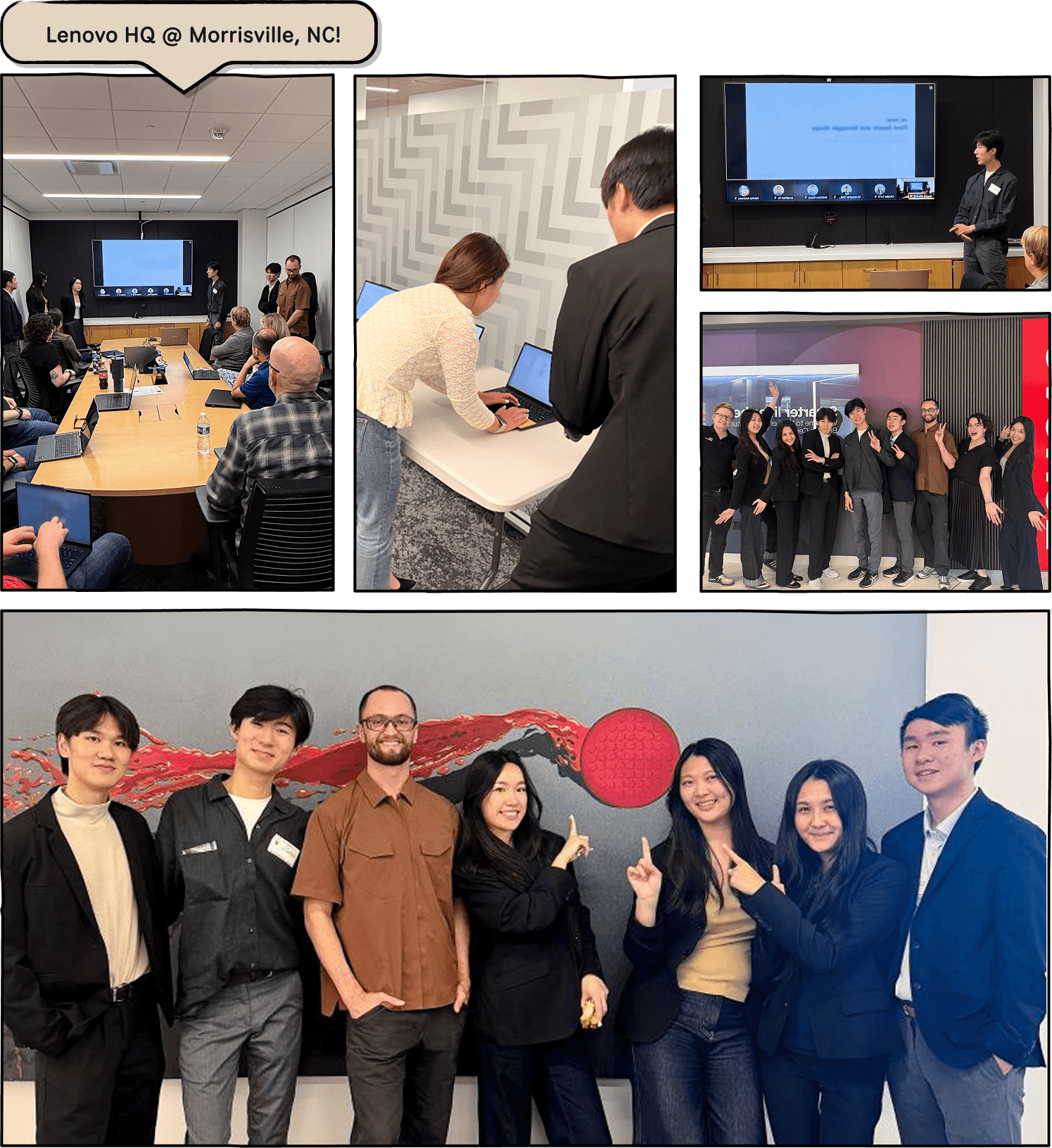
I co-led a 13-person student team through a full research-to-recommendation cycle over one semester, culminating in a presentation to Lenovo's design and product leadership at their North Carolina headquarters.
After our solutions:
in TrackPoint comprehension in testing
Recommendations adapted into the
2027 Roadmap
and active under consideration

Lenovo brought DFA Pro Studio at Yale in to answer this question:
How might we help new users discover TrackPoint's value quickly, and help both end users and IT buyers see it as forward-looking rather than legacy hardware?
The Challenge
TrackPoint is aging out of relevance with a generation that's never touched one.
TrackPoint is one of Lenovo's strongest brand differentiators in the enterprise PC market. It allows users to maneuver precisely, move the cursor without leaving the keyboard, and provides an alternative control scheme in tight quarters.
However, discoverability and onboarding remain large issues that give TrackPoint a legacy, confusing image with little value explained to users.

On the ThinkPad, there are currently
0 onboarding flows
for the TrackPoint
Sensitivity + calibration options are
4 clicks deep
with little to no explanation
Research Protocol
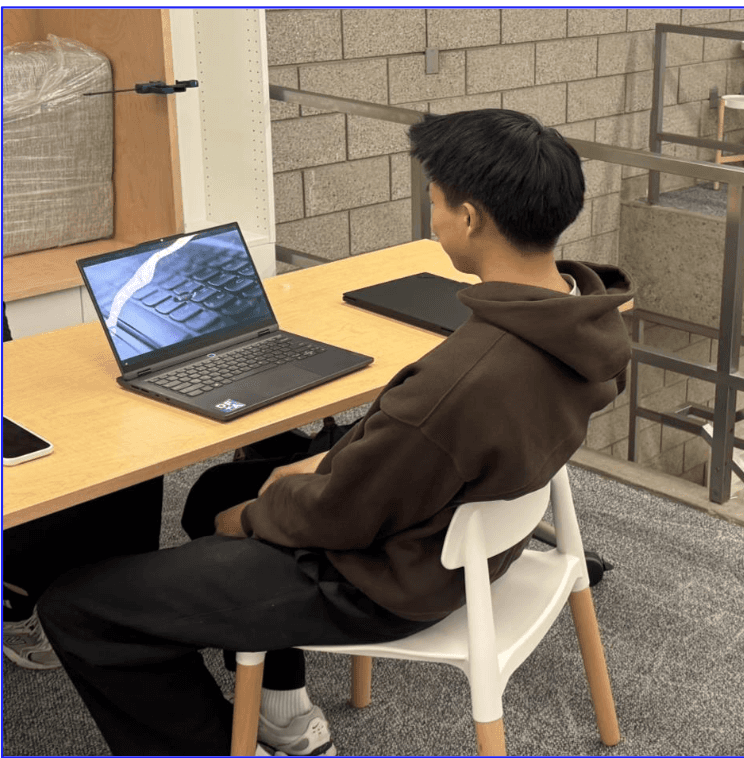
I designed a zero-context testing protocol to surface early findings with 40 users.
Rather than just asking users how they felt about TrackPoint, we watched what they actually did, in person. I ran diagnostic sessions with 40 users, each testing every input method back to back through a set of games and real tasks. There is no framing up front. Every session captured hard performance data (speed, completion) alongside open observation, then closed with a short reflective interview.
Move and Click

Click & Drag
Scrolling
Text Editing
Reasoning
Zero context was critical in our research. If a first-time user needs external help to find the value of the TrackPoint, that's the finding.
User Segments
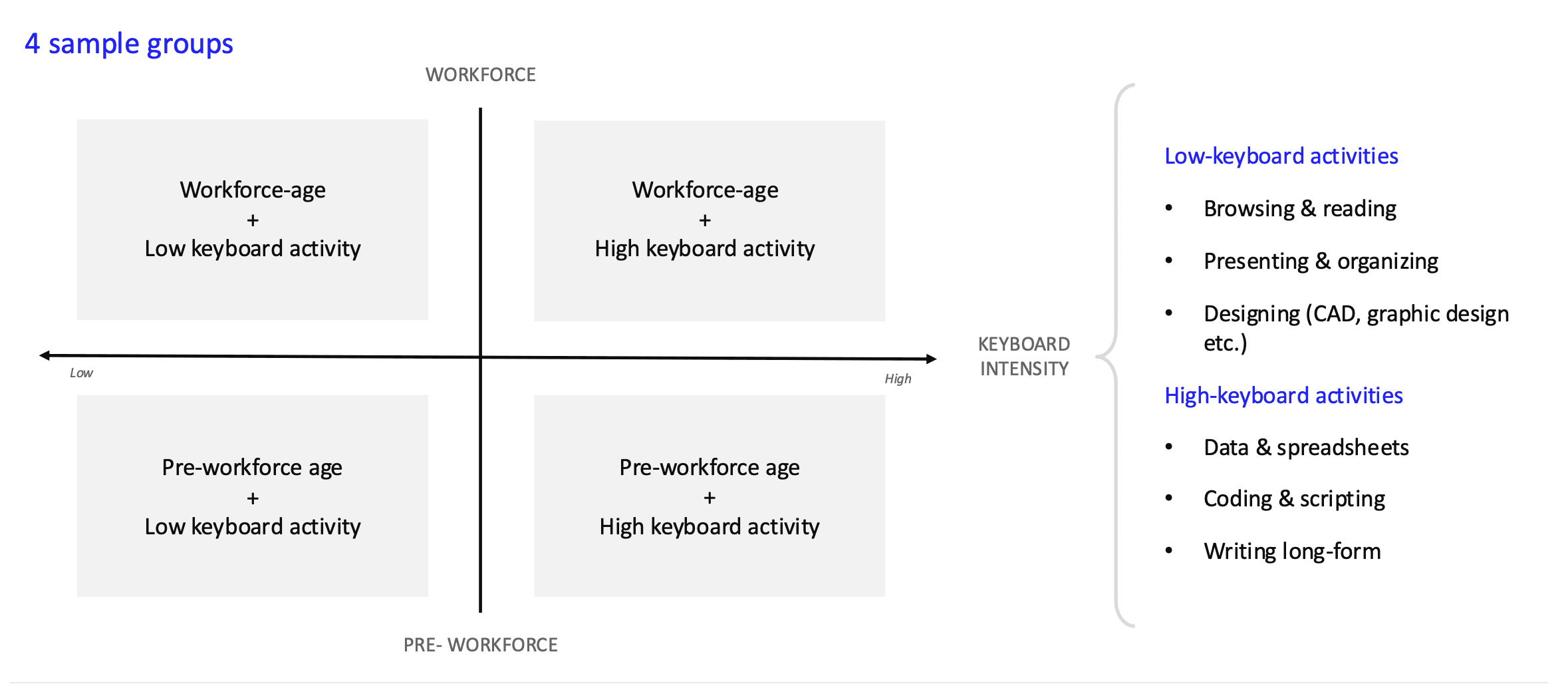
We built a two-axis framework to make sure our sample reflected today's and tomorrow's users.
TrackPoint's future depends on two different populations.
The students and early-career users adopting laptops now.
The enterprise workforce IT departments buy for at scale.
To make sure our diagnostic sample (n=40) represented both, we structured recruitment at Yale with students, faculty, and staff, along two axes: workforce vs. pre-workforce age, and low vs. high keyboard-intensity activity, so we weren't over-indexing on any single user type.
User Journey
Testing surfaced three distinct points where adoption breaks down.
Synthesizing the diagnostic sessions, the team mapped a three-stage user journey, each with its own failure mode. This journey became the backbone of everything that followed. Every prototype and every test was scoped to one of these three stages.
Discovery & Awareness
Users never even try TrackPoint in the first place, not knowing its purpose.
"I only thought it was some sort of decoration or accessory"
"I noticed it but never knew what it was for… I had no idea what it was for"
First Touch and Struggle
Users try it, but abandon it after early frustration and lack of instruction.
"How do I click? Do you use two fingers? This is impossible."
"I keep overshooting the target…"
Alternative Use Cases
Users who master it still don't see a good reason to keep using it over a touchpad.
"There's no point?? Why bother, is my question. What is the benefit?"
"I did this for 20 minutes and still don't know how to do it. And for a lot of people, that's too slow of a learning curve."
Designing Prototypes
Three prototypes per failure point, tested against real behavior
Working from the three failure modes, I led the team to build and design three concepts for each stage of the journey, nine prototypes in all, ranging from interactive Figma + Claude Code builds to marketing-style framing. Each one existed to answer that specific stage: does this help a first-time user get unstuck at this stage?

Prototype screens stay under NDA, so here is what each stage's concepts were built to do.
Stage 1 · Discovery & Awareness
Make the TrackPoint visible, so new users notice it and discover what it does.
Stage 2 · First Touch & Struggle
Help people learn and understand it, and surface problems the moment they happen.
Stage 3 · Alternative Use Cases
Find novel ways to use the TrackPoint as an input mechanism.
Validation
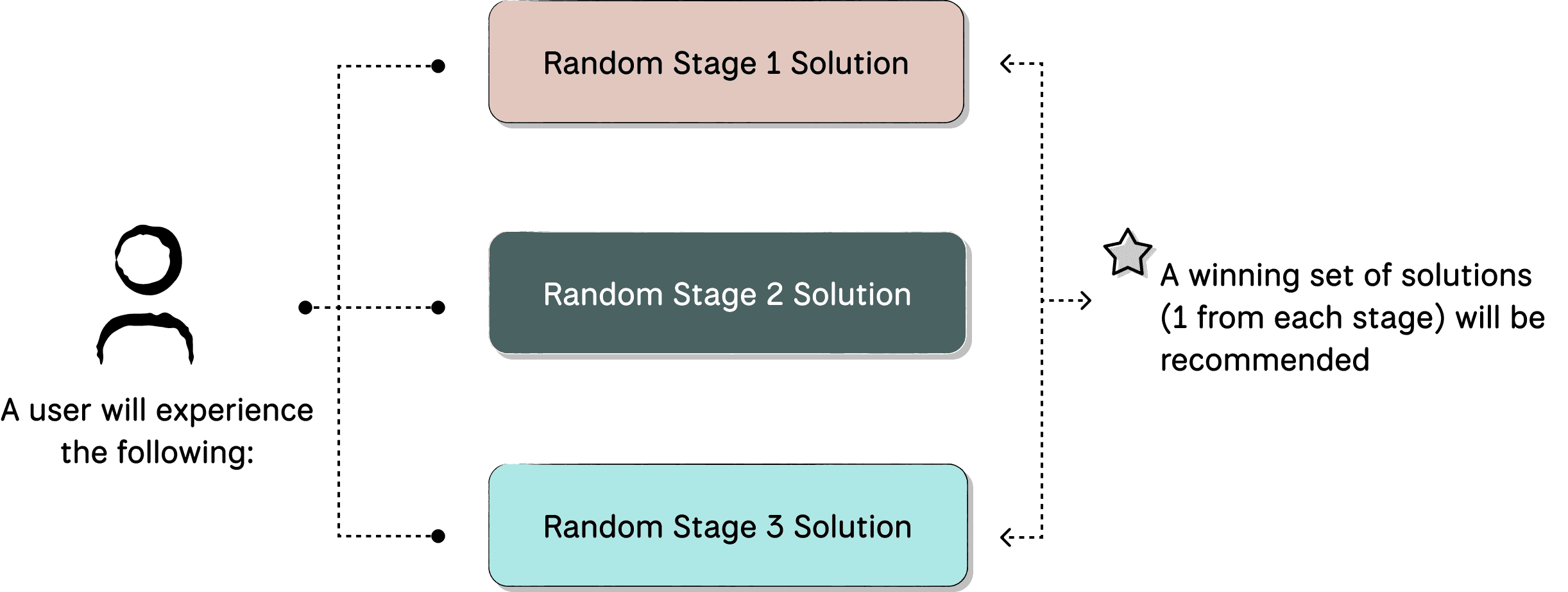
Testing our concepts (with 50+ users) was structured as layered and randomized, so every concept could be compared fairly at scale.
We then tested our prototypes with another set of users (n=51) along the same user segment axes. With multiple concepts competing across every stage of the journey, the risk was not only bias between prototypes, but also ending up with results too thin to act on to pick a winning recommendation. Thus, we designed the tests around three rules.
(1)
Randomized Testing
Each of the 9 prototypes gets even exposure: every participant is assigned a random stack of solutions.
(2)
One Concept per Stage
Every participant goes through the entire user journey by testing each solution one at a time.
(3)
Share Common Metrics
Every concept shares the same metrics, so we can compare before and after cleanly.
With exposure to solution designs:
43% fewer
users needed help with core TrackPoint interactions compared to baseline
After engaging with solution designs:
70% of testers
engaged with the TrackPoint unprompted
Leadership
Managing a 13-person team meant building structure without slowing down research.
As Design Manager, I split the team into core (research and design leads) and associate (execution support) tracks, with clear ownership assigned per journey stage. I set up a testing cadence that let diagnostic and solution testing run as parallel workstreams instead of a single bottlenecked pipeline, and worked alongside co-Project Lead Felix Lee on client communication, timeline management, and final deck assembly.
Final Delivery
I presented our full process and recommendation of solutions to 15+ Lenovo executives at their USA headquarters.
We synthesized three months of research into a recommendation matrix and final deck, then presented our process and outcomes directly to Lenovo’s design and product leadership. The presentation was well received, and the team’s recommendations were adapted into Lenovo’s 2027 roadmap and remain under active consideration.
Huge thank you to Max Nabokow and Angela Martin for guiding us through this process! Couldn’t have done it without them.
Reflection
A few final ponderings after three months…
This project pushed me past pure interface into something closer to learning design.
How do you take someone who's never encountered a principle before and get them not just using it, but understanding why it works? That question shaped the whole project, from how we tested to how we prototyped: beyond screens, we were designing a first encounter with an unfamiliar skill, end to end.
Leading a 13-person team on a tight academic timeline meant the hardest design problem wasn't a screen, rather it was the storytelling.
With that much research and that many moving pieces, presenting to executives meant compressing months of work into a single clear narrative arc, without losing the nuance that made the findings credible.

This project is currently under NDA!
Please contact me to discuss this project any further!